


Most operations don’t decide to buy a dimensioning system because someone ran a gap analysis. They decide because something broke: a billing dispute that couldn’t be resolved, a carrier adjustment that arrived weeks late, a WMS that keeps making bad slotting decisions. The symptoms show up before the cause gets identified. Here are five signals that the cause is dimensional data.
1. Carrier billing adjustments keep arriving after shipments leave the building
Post-shipment billing corrections are the most common trigger for a dimensioning evaluation. If your carrier is consistently remeasuring packages and finding that declared dimensions don’t match, you’re paying for that gap on every adjustment. At low volume, it’s an annoyance. At high volume, it’s a material cost.
The underlying issue is usually that declared dimensions come from a product database that hasn’t been updated, from manual measurement that varies by operator, or from estimates that were close enough for a while but aren’t close enough anymore. Automated dimensioning at the point of outbound closes that gap by capturing the actual measurement at ship time. The dimensioning system overview explains how that measurement feeds carrier billing declarations.
2. Manual cubing is slowing down your pack-out or dock workflow
If someone is stopping to measure boxes with a tape measure at the pack station, or waiting for a manual scale read at the dock, that step is a bottleneck. It may not feel like one during normal volume, but at peak, the constraint becomes obvious.
Automated dimensioning captures length, width, height, and weight in a single trigger, without interrupting the workflow. For static workstation environments, systems like the Cubiscan 100 are designed to fit into pack-out and receiving workflows without requiring a separate measurement step that disrupts the line.
3. Your WMS item master dimensions are outdated or incomplete
The WMS makes slotting decisions, putaway assignments, and cartonization recommendations based on item dimensions in the database. If those dimensions are wrong, outdated, or missing for a portion of your SKU catalog, the WMS is making decisions on bad inputs.
Operations often discover this problem when they investigate recurring exceptions: packages that don’t fit where the system said they would, cartonization failures, or storage locations that keep getting reassigned. Accurate item master data starts with a reliable measurement process at receiving and onboarding. Cubiscan cubing software supports the data management layer that keeps dimensional records current and connected to the systems that use them.
4. You’re growing volume faster than manual processes can scale
Manual cubing doesn’t scale proportionally with volume. At some point, measuring more packages requires more people or more time, neither of which solves the problem cleanly. If you’re adding outbound volume and the measurement step is already close to capacity, the constraint will show up before the next peak season.
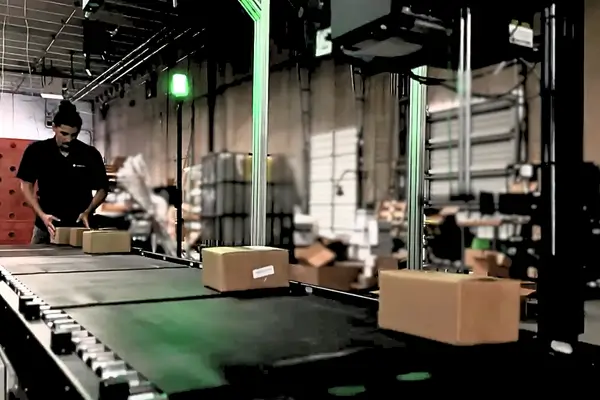
An in-motion dimensioning system integrated into the outbound conveyor removes that ceiling. The Cubiscan 200-SQ captures dimensions at line speed, adding throughput capacity without adding measurement stations or operators.
5. Polybags and irregular items don’t get measured reliably
If your outbound includes polybags, mailers, flat items, or soft-sided packages, and those items are being estimated rather than measured, you have a dimensional data gap on a portion of your volume that is often growing. E-commerce in particular has shifted outbound mix toward non-rigid items that conventional dimensioners can’t handle reliably.
The Cubiscan 75 Pro uses machine learning to measure polybags, flats, and irregular items without requiring them to have defined geometric edges. If that category of packaging is in your outbound mix and currently going undimensioned, it’s a gap with a specific solution.
What to do with this list
If two or more of these apply to your operation, the conversation about automated dimensioning is worth having now rather than after the next peak. To understand which configuration fits your workflow and what the installation process involves, contact Cubiscan or start with the dimensioning system overview.
Frequently asked questions
| How do I know if carrier billing adjustments are a symptom of a dimensioning problem? Pull your carrier invoice history and look for dimensional weight adjustments or reweigh charges. If those line items are recurring across multiple carriers or lanes, the most likely cause is a gap between your declared dimensions and what the carrier measures. That gap almost always traces back to inaccurate or estimated outbound measurement. |
| Can a dimensioning system help with WMS item master accuracy, not just outbound billing? Yes. Dimensioning systems used at receiving or onboarding capture accurate item dimensions and feed them into the WMS item master. This improves slotting, putaway, and cartonization decisions throughout the facility, not just the outbound billing workflow. |
| What size operation typically justifies a dimensioning system investment? There is no single volume threshold. The business case depends on current error rates, outbound mix, and manual process costs rather than volume alone. Operations with as few as 200 to 300 parcels per day can see meaningful ROI if billing adjustment rates or manual cubing costs are high enough. |
| Do all dimensioning systems handle polybags and soft-sided items? No. Traditional dimensioners rely on detecting defined edges and consistent package geometry, which polybags and soft-sided items don’t reliably provide. Machine learning-enabled systems such as the Cubiscan 75 Pro are specifically designed to handle non-rigid items accurately. |


