


Parcel operations are under cost pressure from multiple directions at once. Carriers keep expanding surcharges and adjusting rating logic, which makes small process gaps show up as real dollars on the shipping ledger. At the same time, warehouses are still expected to ship faster, keep error rates low, and do it with a workforce that is hard to hire and retain in manual roles.
Automated package sorting systems reduce costs by fixing the part of outbound that quietly drains capacity: the last stretch where cartons and polybags must be routed correctly, at speed, with minimal touches. When sorting is automated, the operation spends less on labor, less on rework, less on mis-sorts, and less on the downstream consequences of shipping the wrong package to the wrong place.
This guide explains where automated sorting reduces cost, how it fits into modern outbound lines, and what to plan for so the system delivers measurable savings.
What an automated package sorting system does
An automated package sorting system routes packages to the correct lane based on data captured earlier in the outbound flow. That routing logic can be based on:
- Carrier and service level
- Destination zone or region
- Customer or order type
- Pack type or size thresholds
- Exception states such as “missing scan,” “bad label,” or “needs rework”
Most systems use barcode reads and control logic to trigger diverts, sending each package to the right chute, gaylord, pallet position, or induction point.
Cubiscan sorting lanes can be customized to sort by carrier, size, or destination, with the goal of eliminating errors and speeding up fulfillment in the last part of the warehouse.
The cost problems sorting automation solves
Manual sorting often “works” until volume ramps. Then costs rise fast because the process depends on human perfection under pressure.
Labor costs and labor volatility
Manual sorting scales by adding people, then adding supervisors to manage the people. When hiring is seasonal and turnover is high, manual labor roles create operational inefficiencies and added expense due to the complexities that manual labor can’t keep up with. Automated sorting reduces the number of hands needed on repetitive routing tasks, which helps stabilize cost even when staffing changes.
Cost savings show up in a few ways:
- Fewer headcount hours spent scanning, reading labels, and walking packages to the right lane
- Less overtime needed to clear backlogs
- Less training time because fewer steps rely on judgment calls
Mis-sorts and rework
Mis-sorts are expensive because the cost doesn’t stop at the sorter. It spreads into:
- Rework labor, as well as additional shipping fees to find and reroute packages
- Late trailer closes and missed cutoffs
- Customer service tickets, reships, and refunds
- Inventory reconciliation when returns arrive unexpectedly
Automated sorting reduces mis-sorts by routing a system output, not a manual decision made hundreds of times per hour.
Congestion in the last 100 feet
Outbound congestion is a cost. It reduces throughput and increases touches. When manual sorting can’t keep up, cartons stack up, associates work around piles, and scanning compliance drops.
Sorting automation keeps flow moving by routing packages quickly, so the line stays clear and the operation doesn’t pay the hidden “congestion tax.”
Carrier cost exposure from process gaps
Carrier surcharges and rating logic changes increase the cost of small errors. FreightWaves reported that parcel rates are being driven higher by surcharges and also by new rating logic for certain package dimensions, alongside general rate increases.
Sorting automation helps reduce this exposure when it is paired with accurate capture upstream, because:
- Packages get routed correctly the first time, reducing reshipments
- Exceptions are caught and diverted early, before they enter carrier streams
- The outbound process becomes more consistent, which supports cleaner shipping records
Where automated sorting fits in outbound shipping
Automated sorting works best as part of a complete outbound flow. For many high-volume warehouses, that flow looks like this:
- Identify the package
- Verify weight and dimensions when needed
- Print and apply the correct label
- Verify the label read
- Sort and divert to the correct outbound lane
- Handle exceptions without stopping the mainline
Cubiscan describes this end-of-line approach in its automated warehouse shipping solution content, pairing dimensioning, print and apply, and sortation as one integrated segment.
Sorting plus print and apply
Automated sorting is only as good as label quality and label association. When labels are applied inconsistently or printed at the wrong time, sortation errors rise.
That’s why many outbound designs place sorting after print and apply, with verification built in. For labeling automation, see print and apply label machine and automated labeling print and apply labeler.
Sorting plus dimensioning and weighing
Dimension and weight data can be used for more than billing. It also supports operational routing decisions such as:
- Diverting oversize packages to a special handling lane
- Routing heavy parcels to a pallet build lane
- Separating high-damage-risk packages for different dunnage or handling rules
For dimension capture across workflows, see the dimensioning system overview.
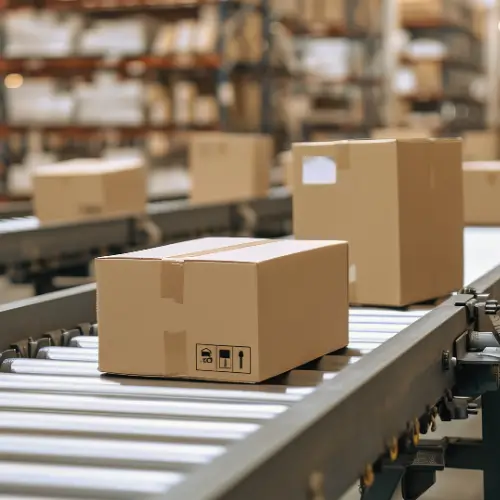
The main cost levers in sorting automation
Automated sorting reduces costs in four predictable buckets. These are the levers to measure before and after installation.
1) Reduced touches per package
Every time a package is picked up, set down, or re-scanned, cost rises. Automated sorting reduces touches by keeping packages moving on the conveyor and routing them without handoffs.
A practical KPI is “touches per package” or “seconds of handling per package.” When that drops, labor and congestion drop with it.
2) Higher throughput without proportional labor increases
Manual sorting often scales linearly. More packages means more people. Automated sorting scales differently. Once the system is running, higher volume can often be handled with the same core team, especially when exception volume is controlled.
3) Fewer errors and fewer exceptions reaching the dock
Exceptions are where operations lose time. Automated sorting systems reduce costs when they:
- Route clean packages automatically
- Divert exceptions to a dedicated lane
- Apply an error label or create a clear reason code so rework is fast
Cubiscan notes sortation systems can be configured to send packages to an exceptions lane and apply an error label explaining the exception, which is a direct way to reduce rework time.
4) Improved service outcomes and fewer reships
The most expensive package is the one shipped twice. Sorting automation reduces reships by cutting mis-sorts and keeping the outbound flow consistent under peak conditions.
What to plan for so the savings show up
Automated sorting reduces costs when it is designed around real operating conditions, not ideal conditions.
Identify strategy and data quality
Sorting depends on reliable package identity. That means:
- Clean barcode reads at the right points
- Clear data mapping between order, carton ID, and label
- Standard rules for what triggers an exception
If measurement data is part of routing, that data must be consistent too. Many operations keep measurement records organized so they can be used across processes, which is where a platform like Cubiscan cubing software supports auditability and retrieval.
Lane design and capacity planning
Cost savings disappear when the lanes back up. The lane design has to match:
- Peak volume per carrier or destination
- Package size mix
- Container swap frequency
- Trailer scheduling
A simple way to plan is to identify the top routing splits that drive volume and design lanes around those first, then add overflow lanes for variability.
Exception handling that protects the mainline
Every outbound line needs a clean answer to a few questions:
- What happens when a barcode does not read?
- What happens when a label is damaged or missing?
- What happens when a package is out of tolerance for size or weight?
- What happens when the system cannot confidently route?
The best systems protect the mainline by diverting exceptions into a controlled rework loop.
Serviceability and uptime
Sorting automation pays off when it runs. That makes serviceability a cost lever too:
- Easy access to wear parts
- Clear maintenance routines
- Simple jam recovery
- Controls logic that recovers without losing package identity
If the system is down, labor cost returns immediately as manual workarounds.
How to estimate ROI without guessing
Automated sorting ROI becomes clear when the math is tied to current pain.
Start with baseline measurements:
- Labor hours per shift dedicated to sorting, manual manifesting, and rework
- Mis-sort rate and reship rate
- Average delay minutes per trailer close due to outbound congestion
- Overtime hours driven by outbound backlogs
- Carrier claim and reship costs tied to misroutes
- Shipping costs increases caused by limited carrier/service flexibility
Then estimate savings using conservative assumptions:
- A realistic reduction in touches per package
- A realistic improvement in mis-sort rate
- A realistic reduction in rework minutes per exception
- A realistic increase in how many carrier services or sort destinations your team can manage confidently
- A realistic improvement in cutoff times when regional or carrier-specific sorting becomes easier
For Dan Grebel at Personalization Mall, the ROI story was not built around one clean spreadsheet number. It was built around operational pressure that had become too expensive and too risky to keep managing manually.
Before implementing Cubiscan’s automation system, his team had to manually manifest a large portion of packages, manage carrier sortation by hand, and limit some carrier-service complexity because each added sort increased the risk of packages ending up with the wrong carrier. As Dan explained, the bigger opportunity was not just labor savings. It was reducing failure risk and unlocking the ability to use more carrier options without creating chaos at the dock.
After implementing Cubiscan’s print-and-apply and sortation system, Personalization Mall.com gained more confidence that the right package was getting to the right truck, reduced manual manifesting needs, and opened the door to more advanced carrier strategies. During peak season, the team could split shipments by region or service, run dedicated trailers later into the evening, and extend shipping cutoffs in ways that would not have been realistic with manual sorting.
Dan summed up the ROI best when he explained that the added sort capability allowed them to run carriers later each day and route shipments more strategically. In his words, that advantage “probably paid for the whole system” over the last couple of years.
That is why ROI should not be limited to labor reduction alone. In high-volume shipping environments, the bigger return often comes from fewer errors, better carrier flexibility, later cutoff times, less rework, and more confidence during peak season.
Parcel cost pressure from surcharges and rating logic makes these improvements more valuable than they were a few years ago, because operational mistakes are more likely to show up in total shipping cost.
Getting started with automated sorting
A strong rollout usually follows a simple approach:
- Start with one high-volume zone such as “top carriers” or “top destinations”
- Build a clean exception lane from day one
- Add verification around labeling and reads
- Expand routing splits after the first phase runs smoothly
For system options and examples, review package sorting machines, package sorting equipment, and the deeper overview of warehouse sorting systems.
Next step: reduce outbound cost by removing manual sorting friction
Automated package sorting systems reduce costs by cutting touches, reducing mis-sorts, shrinking rework loops, and keeping outbound lanes flowing under pressure. That matters even more in a market where surcharges and pricing logic continue to rise and change.
To evaluate how sorting fits into your outbound flow, start with package sorting machines for shipping automation and the integrated approach on automated warehouse shipping solution. For teams planning label automation alongside sorting, see print and apply label machine.
Frequently asked questions
What is an automated package sorting system?
An automated package sorting system uses barcode scanning, system logic, and conveyor controls to route packages to the correct carrier, service, destination, or exception lane. It helps reduce manual handling, sorting errors, and outbound congestion.
How does sorting automation reduce labor costs?
It reduces the number of manual touches needed to move each package through the outbound process. Instead of relying on people to scan, interpret, label, sort, and rework packages manually, automation keeps packages moving and allows employees to focus on exceptions, loading, quality control, and higher-value warehouse tasks.
Does automated sorting help with parcel shipping costs?
Yes. Automated sorting can help reduce avoidable shipping costs by lowering mis-sorts, reships, late shipments, and manual routing errors. It can also make it easier to use more carrier services or regional sort strategies without overwhelming the dock. That flexibility matters as carriers continue adjusting surcharges, service rules, and rating logic.
What are the most common causes of sorting exceptions?
Common sorting exceptions include unreadable barcodes, damaged or poorly placed labels, missing order or carrier data, packages outside expected size or weight thresholds, and items that require manual review before they can move downstream.
Where does sorting fit in an automated outbound line?
Sorting usually happens after package identification, weighing, label application, and verification. From there, packages are routed by carrier, service level, destination, trailer, or exception type so the right package reaches the right outbound lane at the right time.


