


When shipping volume is high, labeling stops being a small step at the end of the line. It becomes a rate limiter. A single missed label, a skewed barcode, or a manual reprint can ripple into rework, misroutes, chargebacks, and trucks that leave late.
That’s why print and apply labeling systems matter. They take one of the most repetitive, error-prone tasks in automated shipping and turn it into a controlled, measurable process.
This post breaks down how print and apply works, where it delivers the biggest payoff, and how to choose and deploy it so it actually improves throughput in a high-volume warehouse.
What a print and apply labeling system actually does
A print and apply system combines two actions into one continuous motion:
- Print a label with variable data (shipping address, SSCC, barcode, service level, route, sortation code, and more).
- Apply that label to a carton, tote, or pallet consistently, at speed, and in the right location.
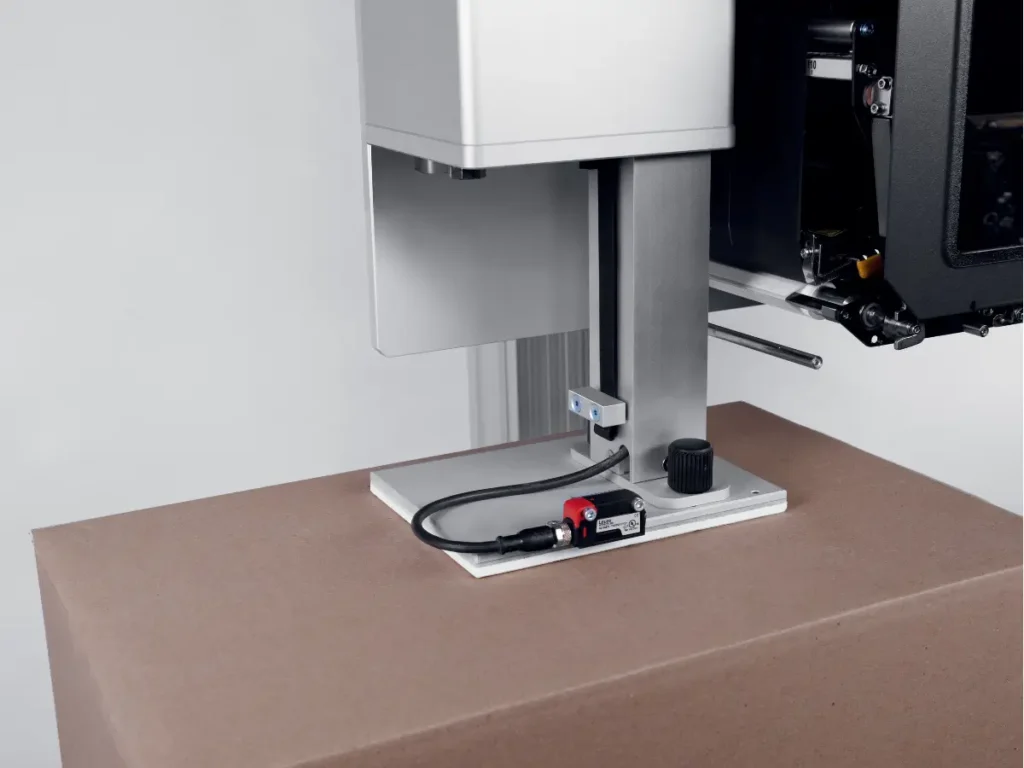
Instead of an associate peeling labels and placing them by hand, the system prints the label as the package moves past, then applies it using the applicator method that matches your line and package type.
Cubiscan’s overview of a print and apply label machine frames this the right way: one fluid motion that supports productivity and accuracy, with the label data tied to the system that’s directing the work.
Why manual labeling breaks down at high volume
Most warehouses can “make manual work” function at low to moderate volume. High-volume operations are different. As soon as pack stations and shipping lanes are running hot, manual labeling creates predictable failure points:
- Label placement varies by operator, fatigue, and workflow shortcuts.
- Mislabels happen when an associate grabs the wrong label, labels stack up, or cartons get moved before labeling.
- Reprints increase when labels wrinkle, don’t stick, or barcodes fail scans.
- Quality checks become reactive instead of built-in, so errors escape to the dock.
The root issue is simple: manual labeling depends on perfect execution under pressure. High-volume warehouses do not run on perfect conditions. They run on repeatable systems.
The business case: what changes when labeling is automated
Print and apply is usually justified as “labor savings,” but the biggest value in automated shipping is often operational stability.
1) Throughput improves because labeling stops interrupting flow
Labeling seems fast until the line is moving at speed and exceptions show up. Manual labeling adds micro-stoppages that add up:
- stopping to peel and place
- stopping to find a label that fell
- stopping to reprint
- stopping to verify
Print and apply turns labeling into a timed station in the flow. When implemented correctly, it removes variability and lets the conveyor, sorter, or pack line run to its designed rate.
2) Mislabels drop, and so does downstream rework
Mislabels are expensive because the cost rarely stays in shipping. It shows up as:
- carrier reroutes or returns
- customer service escalations
- reships and refunds
- inventory adjustments
- lost time in research and reconciliation
A print and apply system reduces the chance of the wrong label being applied because the label is generated at the moment of application, using system data, and is applied to the specific carton in front of it.
3) Scan rates improve when placement and print quality are consistent
High-volume shipping depends on scanning. Induction, sortation, manifest, and carrier pickup all assume barcodes are readable. Inconsistent placement, wrinkles, low contrast, and label skew can lower scan rates and increase manual handling.
Print and apply helps because it standardizes:
- print darkness and quality settings
- label placement location
- orientation relative to carton travel
- application pressure and contact time
That consistency matters when a warehouse is trying to reduce touches and keep parcels moving.
4) Compliance becomes easier for retail, 3PL, and regulated workflows
Many operations ship into environments where label compliance is non-negotiable. Retail routing guides, GS1 logistics labels, and customer-specific formats often require consistent placement and legibility.
GS1 provides detailed guidance on logistics label usage and identification of logistic units, which highlights the value of standardization when labels are used across supply chain partners. See the GS1 logistic label guideline for an example of how structured labeling supports interoperability.
In high-volume operations, compliance cannot be a “best effort.” Print and apply makes it a system output.
Where print and apply delivers the biggest payoff in a warehouse
Not every label application needs automation. The best ROI usually appears where volume and consequences are high.
High-speed shipping lines
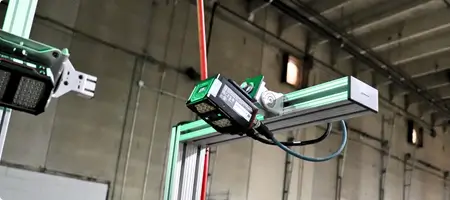
If cartons are moving on a conveyor toward sortation, manual labeling becomes a choke point. Print and apply fits naturally on a conveyor segment where cartons are singulated and tracked.
Multi-carrier manifest and sortation
If the label includes carrier, service, or routing information, applying the correct label at speed is critical. A print and apply system reduces the chance of a mismatch between carton and label.
High-SKU, high-variance operations
E-commerce and 3PL environments often have wide variation in carton sizes and order profiles. That variation increases human error. Print and apply reduces the complexity placed on pack teams.
Pallet and freight labeling
High-volume warehouses often need consistent pallet labels for staging, loading, and cross-dock. Print and apply can support pallet labeling workflows where readable labels and consistent placement improve dock discipline.
How print and apply works with WMS and shipping systems
A print and apply system is only as good as its data flow. The label content must match the carton and the order it represents.
A typical flow looks like this:
- The WMS or shipping system releases an order and assigns a carton ID.
- The carton is scanned or tracked as it approaches the applicator.
- The system requests label data for that carton ID.
- The label is printed and applied.
- A verification scan confirms readability and association.
This is where high-quality dimension and item data can matter more than teams expect. When shipping decisions depend on carton size, service level, and packaging rules, clean data helps prevent late-stage exceptions that trigger reprints or manual relabeling.
For warehouses that are building an end-to-end automated shipping workflow, pairing label automation with accurate package data often drives the strongest results. Start with a broader view of what a dimensioning system supports, and how Cubiscan cubing software can help distribute consistent data across shipping, auditing, and operations.
Choosing the right applicator method for your cartons
Print and apply is not one single machine type. The application method must match your packaging and line design.
Common approaches include:
- Tamp (contact apply): good for consistent carton surfaces and moderate speeds.
- Blow (air apply): useful when cartons cannot be contacted, or for certain orientations.
- Wipe-on: works well for moving cartons with consistent surfaces.
- Corner wrap or dual-panel apply: helpful when labels must span two sides or meet customer placement requirements.
The right method depends on carton speed, surface type, label size, and placement rules. The wrong method leads to curling, misapplies, and stoppages, which defeats the purpose.
Implementation details that separate a win from a headache
High-volume warehouses do not need more equipment that requires babysitting. The goal is a stable station that runs with minimal intervention.
Build in verification
A verification scan right after application catches unreadable barcodes before the carton reaches sortation or manifest. It also creates a data record that supports audits and dispute resolution.
Plan for label stock and ribbon management
Downtime from media changes is real. Design the station for fast replenishment, clear operator access, and standard work instructions.
Treat label placement as a standard, not a preference
If the label placement changes, scan performance changes. Pick the placement that works with your downstream scanning points, then enforce it.
Make exception handling simple
Even great systems have exceptions: damaged cartons, odd surfaces, or missed scans. Define what happens when the system cannot apply. If exception work is unclear, associates will improvise, and accuracy will drift.
The connection between labeling and shipping cost
Labeling affects cost in more ways than rework. It also impacts billing accuracy when shipping systems rely on the label data to represent what was shipped.
If your workflow involves capturing package dimensions and weight for rating, auditing, or carrier disputes, integrating labeling with accurate package data can reduce chargebacks and minimize invoice surprises.
This is where operations often connect print and apply with package capture tools like a package dimensioner and standardized SKU data from item master data solutions. The payoff is a shipping process that produces consistent labels, consistent package records, and fewer manual adjustments.
A rollout plan for high-volume warehouses
Print and apply works best when it is rolled out with clear scope.
- Start with one high-volume lane where mislabels and reprints are common.
- Define success metrics such as cartons per hour, mislabel rate, reprint rate, and scan rate at downstream points.
- Lock the data flow so the label content is sourced from the right system, for the right carton ID, at the right time.
- Add verification scanning and a simple exception loop.
- Standardize operator tasks for label replenishment and station checks.
- Expand lane by lane once the first station runs stable.
This approach keeps the project grounded in measurable outcomes instead of turning it into a broad automation initiative with unclear ownership.
Ready to make labeling a throughput advantage?
In high-volume warehouses, labeling is either a controlled system or a hidden bottleneck. Print and apply makes labeling predictable at speed, reduces mislabels, improves scan rates, and stabilizes automated shipping workflows.
To explore options and how labeling fits alongside measurement and data capture, review the overview of a print and apply label machine and the broader capabilities of a dimensioning system. For teams that want to strengthen shipping execution with better data consistency, Cubiscan cubing software is a strong place to start.
Frequently asked questions
What is a print and apply labeling system?
It is an automated station that prints variable data labels in real time and applies them to cartons, totes, or pallets, usually as part of a conveyor or packing line.
Does print and apply replace shipping label printers at pack stations?
In many high-volume designs, yes for the lanes it serves. Some operations keep desktop printers for exceptions, oversized items, or low-volume workflows.
Where should a print and apply station be placed?
Typically after carton close and before induction to sortation or manifest, where cartons are singulated and tracked. The best placement depends on line design and where verification scanning happens.
How does print and apply reduce mislabels?
It removes manual handling of labels and ties label generation to carton identity at the moment of application, which reduces mix-ups under high volume.
What data is required for print and apply to work well?
Clean carton identity, consistent routing logic, and accurate label content sourced from the right system. If shipping decisions depend on dimensions and weight, accurate package capture strengthens the entire flow.


